“Should this run in the cloud or in our building?” is one of the most expensive questions in IT, and most of the answers you’ll find are either a vendor’s marketing or someone’s gut feeling. We wanted to give you a third option: your own numbers.
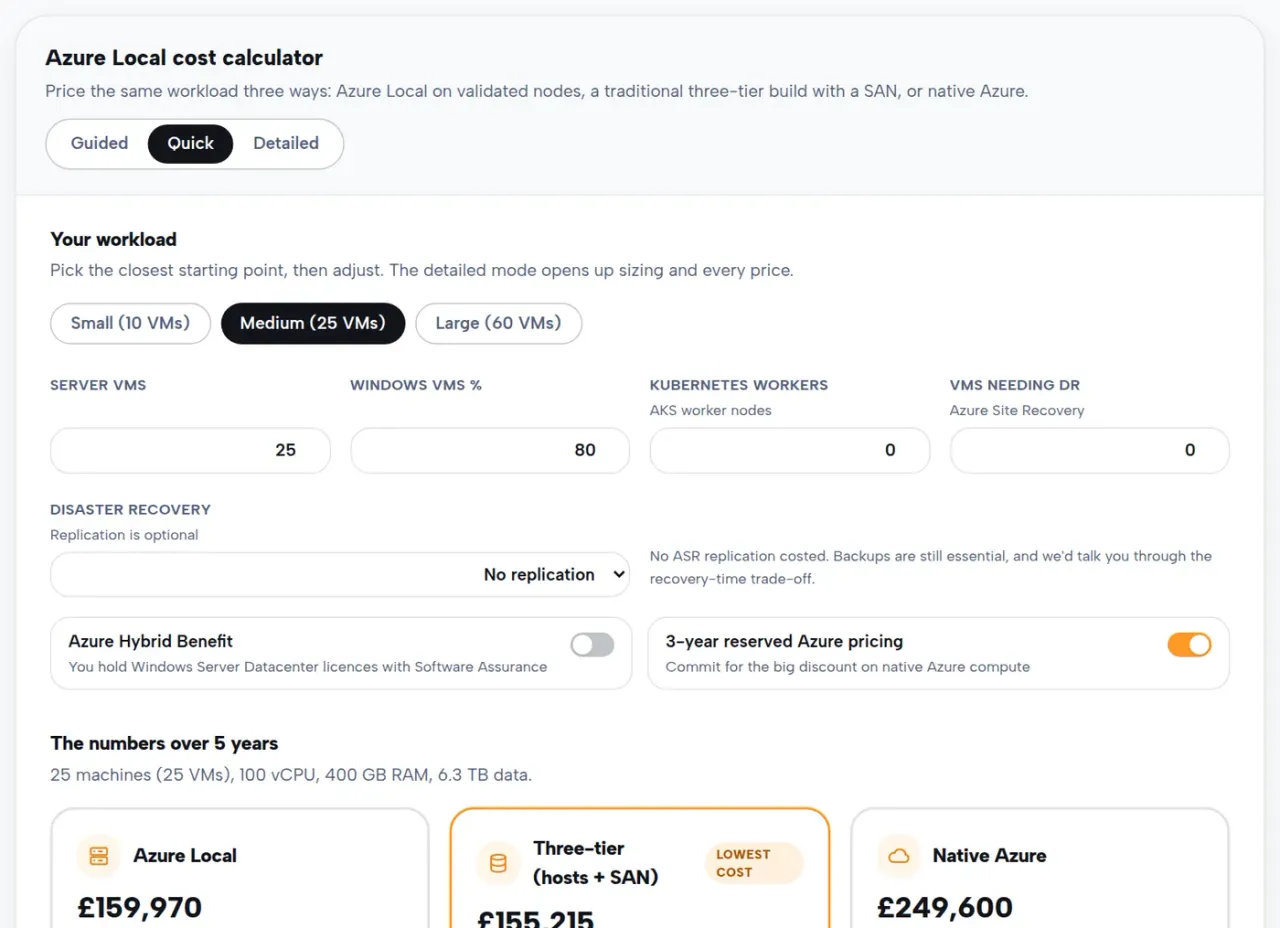
Our free Azure Local cost calculator prices one workload three ways, side by side:
- Azure Local: Microsoft’s on-premises Azure platform, running on validated nodes in your building with storage pooled from the flash inside them. We’ve written about what Azure Local is before.
- A traditional three-tier build: Hyper-V hosts, a SAN and Windows Server Datacenter licences, the way most server rooms were built for twenty years.
- Native Azure: the same VMs as cloud services in a UK region, with reserved pricing if you’d commit.
Three ways to use it
Answer four questions in quick mode and you’ll have a comparison in under a minute. The guided mode walks you through ten plain-English questions, no jargon, with a progress bar, and is built for people who don’t speak hypervisor. And detailed mode opens everything: cluster sizing, storage mirroring, SAN sizing with RAID overhead, Kubernetes workers, disaster recovery in either direction, and every single price, editable.
The defaults aren’t guesses. Azure rates come from Microsoft’s published UK price list, licence prices from UK reseller lists, and hardware from vendor listings, all clearly footnoted, with the honest caveat that validated nodes are quote-only in the real world.
The licensing question that swings everything
One toggle changes these comparisons more than any other: Azure Hybrid Benefit. If you already own Windows Server Datacenter licences with active Software Assurance, Microsoft waives Azure Local’s per-core fees and the Windows licence uplift on Azure VMs. Estates that look expensive on-prem suddenly don’t. It’s the first thing we check in any real engagement, and it’s a one-click toggle in the calculator. Getting this right is part of our Microsoft licensing service.
There’s a trap in the fine print too: run Azure Local with an external SAN and Microsoft bills roughly double the per-core rate, with no Hybrid Benefit at all. The calculator models that honestly, because finding out after the purchase order is the expensive way.
Whichever way it lands, we run it
We supply the hardware through Dell, HPE and Lenovo, sort the licensing, and run the result 24×7 from our cloud operations centre, whether that’s an Azure estate, an Azure Local cluster or both. Try the calculator, and if you want a second pair of eyes on your numbers, send them over: we’ll sanity-check them free.